Beta for iPhone

Your life,
mapped.

Leyline quietly keeps a diary of where you've been and how you got there. No buttons to press, no account, and it all stays on your iPhone.*

Get notified when it opens See what it does Closed beta for now · Free during the beta** · iOS 27 or later
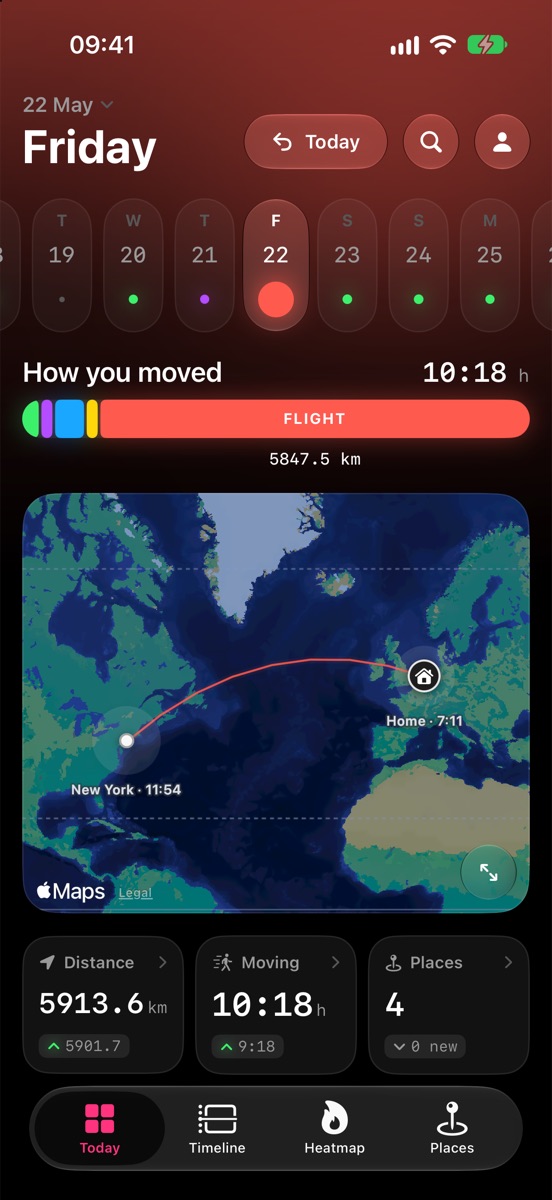
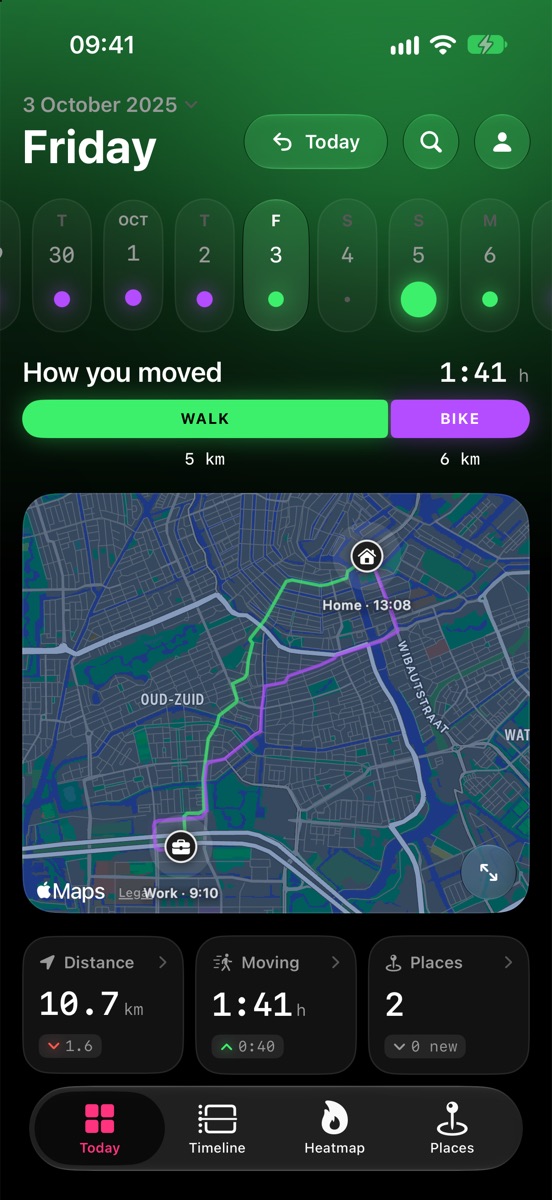
Leyline's Today screen: a day of walking and cycling across Amsterdam, between home and work, drawn on the map.
What it does

A timeline that writes itself.

Leyline uses your iPhone's location and motion sensors to notice when and where you travel, and where you stop.

Open the app any time and your day is already there.

Today

Every day on one screen

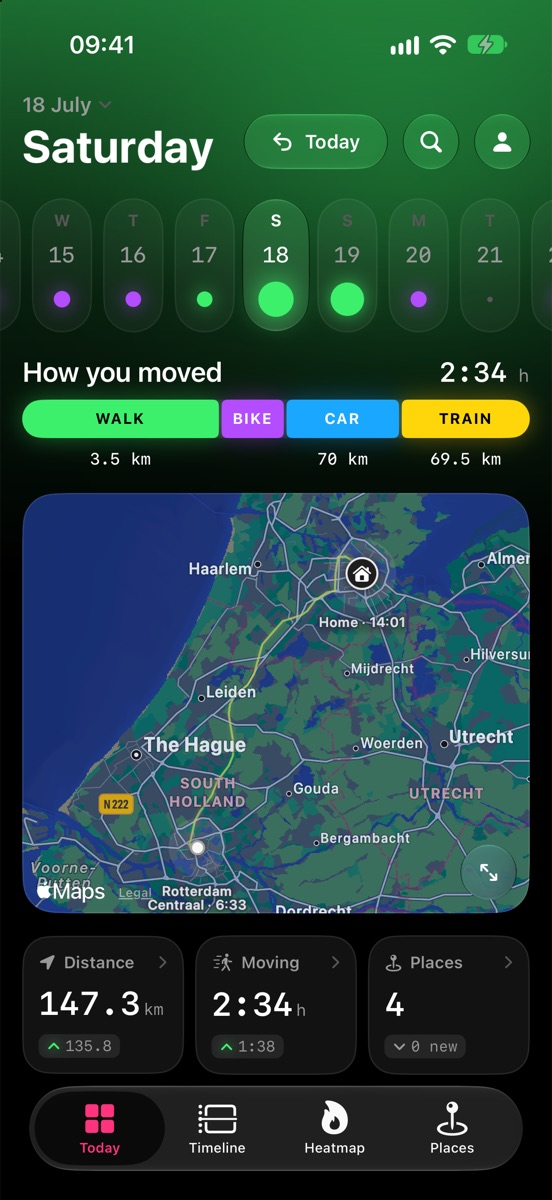
Where you went, how long you stayed, and how you moved: on foot, by bike, car, train, and plane, among others. Swipe through days, or tap the date to jump anywhere.

  • Travel mode is detected automatically, and erroneous routes and places are easy to correct with a tap.
  • See what's changed. Distance, time moving and places visited, all easily comparable with a typical day.
Today screen: a day with walking, cycling, driving and a train to Rotterdam
Timeline

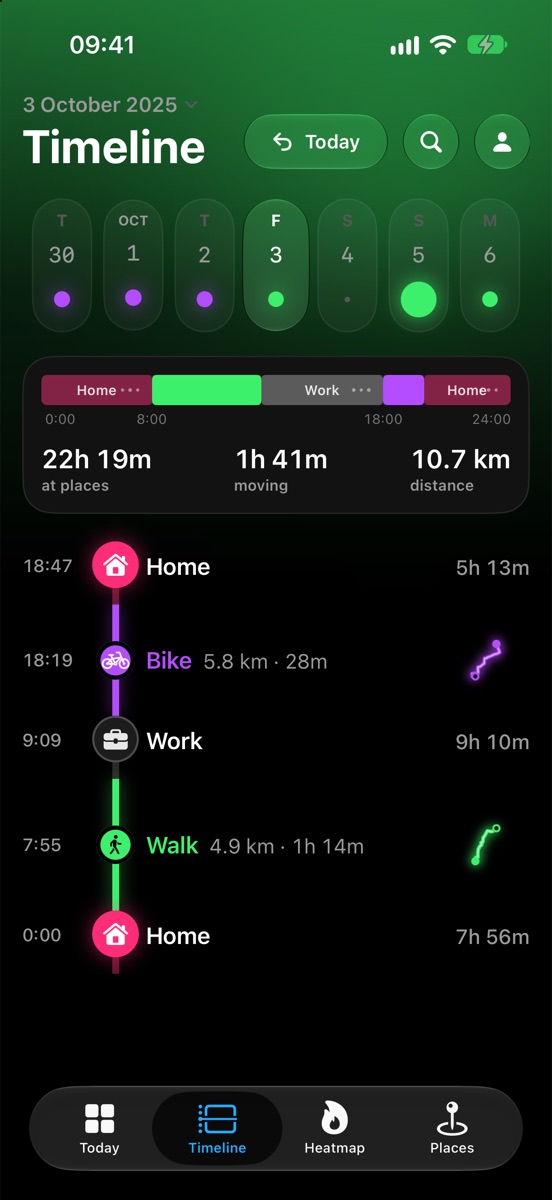
Your day, stop by stop

Every stay and every trip in order. Long-press a stay to fix its times; tap a trip to change how you travelled.

  • When tracking quality degrades, choose to snap routes to roads for car and bike trips.
  • Anything it isn't sure about is drawn as a guess, never passed off as fact, and yours to correct as you see fit.
  • Search across everything: “bike last week”, “Rotterdam”, “yesterday”.
Timeline: home, bike rides, work and a supermarket, each with its time
Heatmap

Everywhere you've been

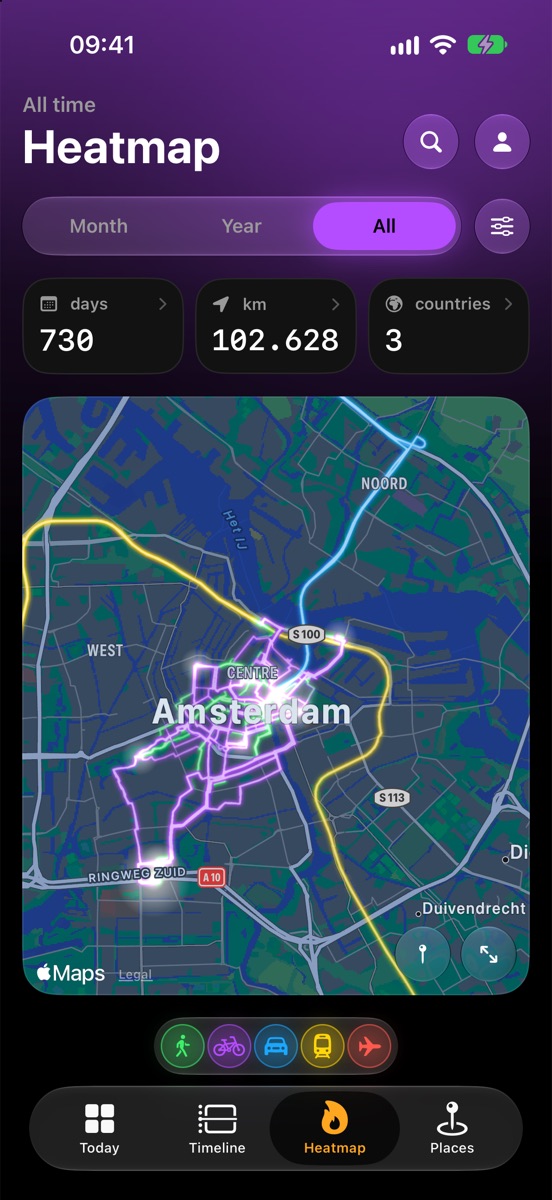
Years of routes on one map, each its own color, glowing brighter the more often you've taken them. Explore your travel habits, and see how much of your city, or the world, you've covered.

  • Last month, last year or all time.
  • Days, kilometers and countries, all at a glance.
Heatmap of two years of routes through Amsterdam, glowing in their travel colours
Insights

Charts that tell your story

View your travels in data.
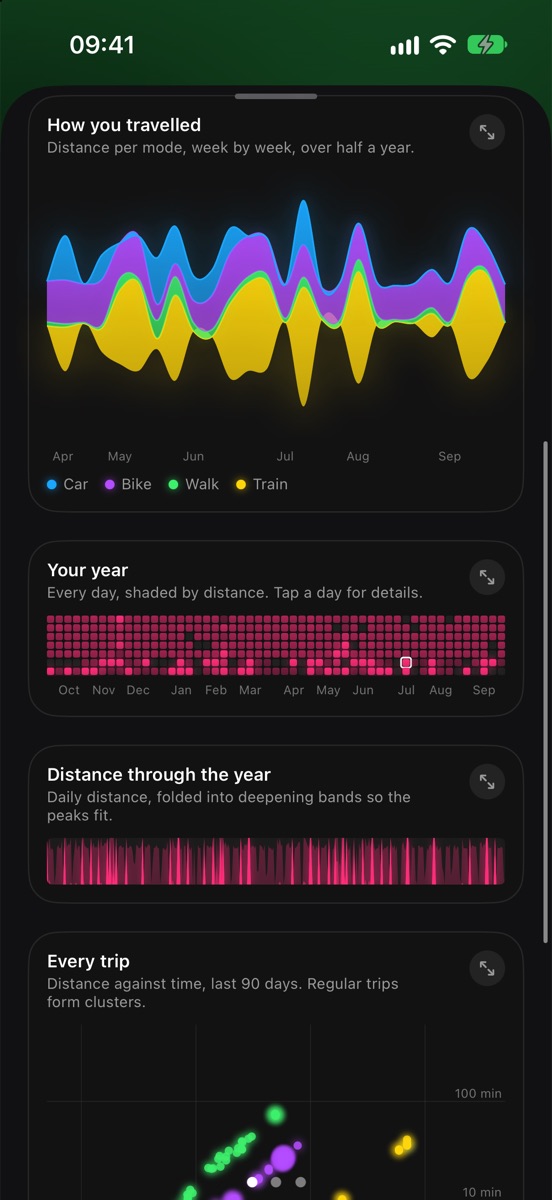
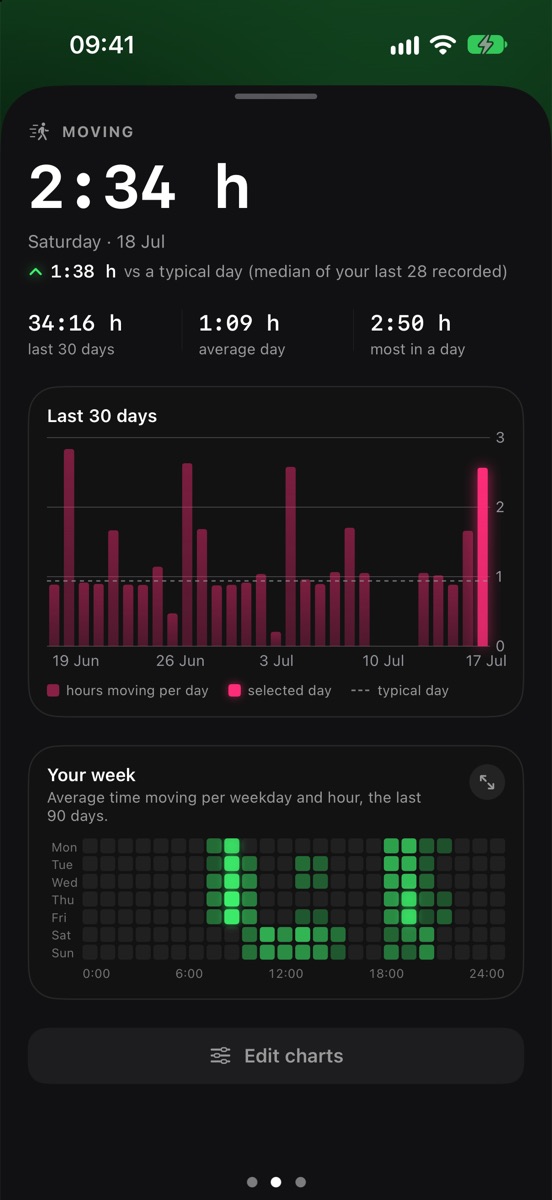
Tap any number for the bigger picture: how your travel shifts with the seasons, your year as a calendar, your week hour by hour. Touch a chart to read it; turn your phone for full screen.

Charts: distance per mode over half a year, a year calendar and daily distance
Places

The places that make up your life

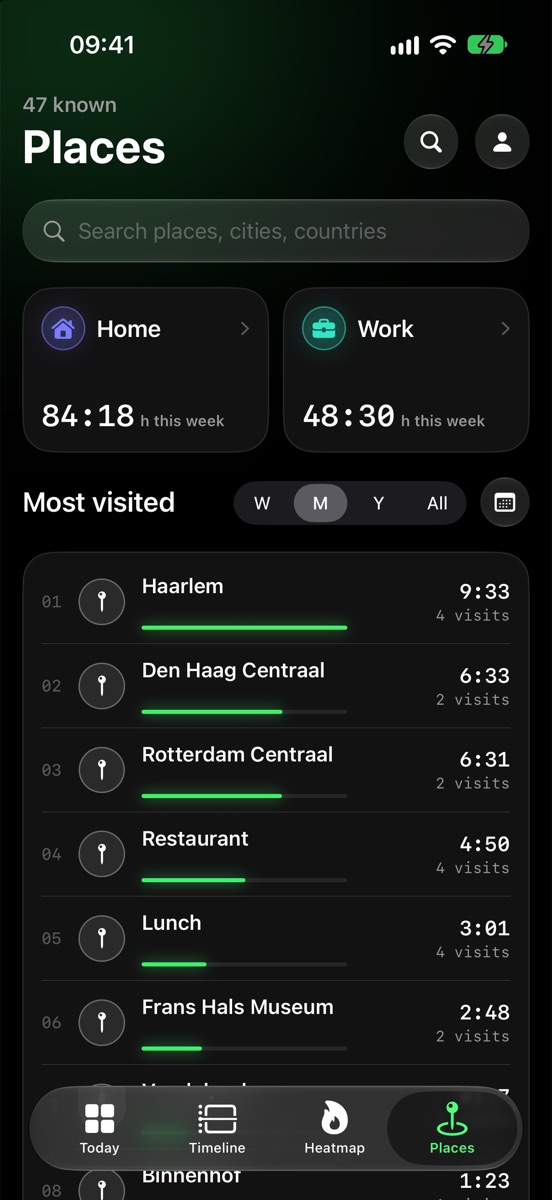
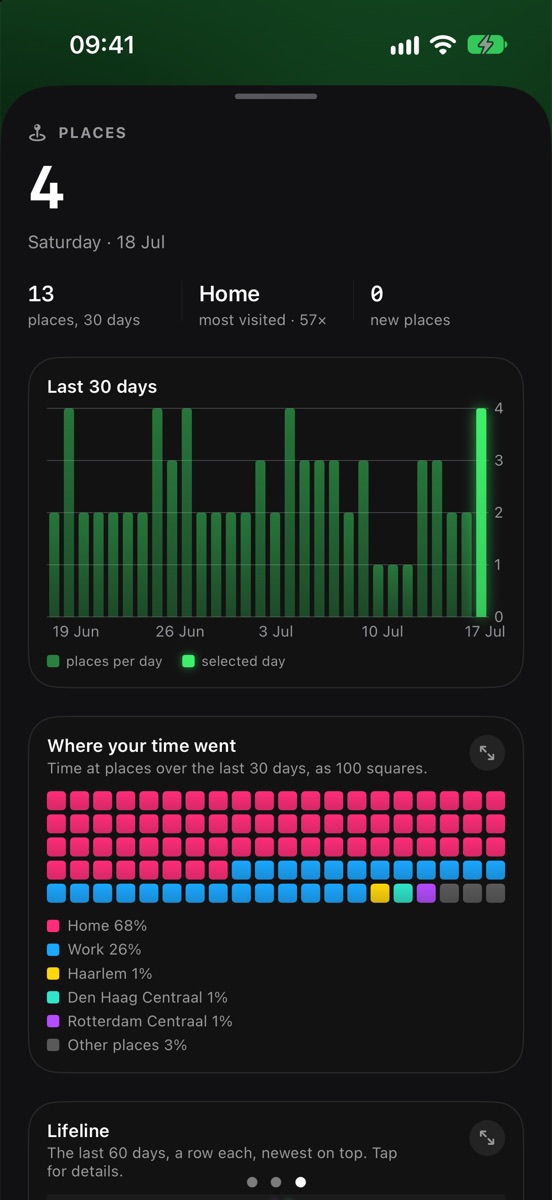
Home, work and the places you keep coming back to, ranked by time spent. Leyline names them for you, and you can rename, move, or favorite them as you like.

Places: home and work hours this week and the most visited places this month
More

Explore your past, too

You don't have to wait months for a full map.

Fill in your past from photos

Leyline can read where and when your photos were taken (never the pictures) and turn them into places, trips and flights. You review every trip before it's added.

Bring your history

Import data from Google Timeline, Arc, Moves, or GPX files from any app. Export everything any time.

Light on your battery

Full GPS only runs while you move. At places it rests, and it steps down further in Low Power Mode or when your battery is low. You're in control with settings to adjust battery usage vs tracking accuracy.

Light and dark

Follows your iPhone's appearance, or pick one. Routes glow vibrantly either way.

Landscape everywhere

Turn your phone and Leyline seamlessly switches into landscape mode, taking full advantage of the extra width.

Flights, trains, ferries

Long journeys are recognised for what they were; flights are drawn as arcs between airports, so your year map shows the trips that mattered.
Privacy

Your history stays on your iPhone.

Leyline is made by one person, not a data company.

There's no account, no cloud and no tracking.*

0

accounts to make

Open the app and it works. Nothing to sign up for.

0

servers with your history*

Your places and routes are stored on your phone, and only leave it if you send or export them.

100%

yours to delete

One tap removes everything, backups included.

Maps, place names and routes come from Apple Maps. Read exactly what is and isn't shared in the privacy policy.

A closer look

Made to be looked at.

Leyline app icon

Try Leyline while it's in beta.

Get TestFlight from the App Store, then open your invite, and let it run for a few days. Tell me what you think: you can send a report straight from the app.

Leyline is in a closed beta.

Leave your email and I'll send you an invite when the beta opens to more people.

Only used to send you the invite: no newsletter, never shared. Want it removed? Email dev@joelmulder.com. More in the privacy policy.

  1. During the beta, Leyline sends me a little data to find bugs and tune battery use, only if you agree on the consent screen: a short daily battery summary (no places or positions) and the bug reports you choose to send, with the data you pick for each. Maps, place names and routes come from Apple Maps. All of it is described in the privacy policy.
  2. The beta is free. What Leyline will cost after the beta isn't decided yet.
You're invited to the Leyline betaFree on TestFlight · iPhone with iOS 27
Join the beta